In short
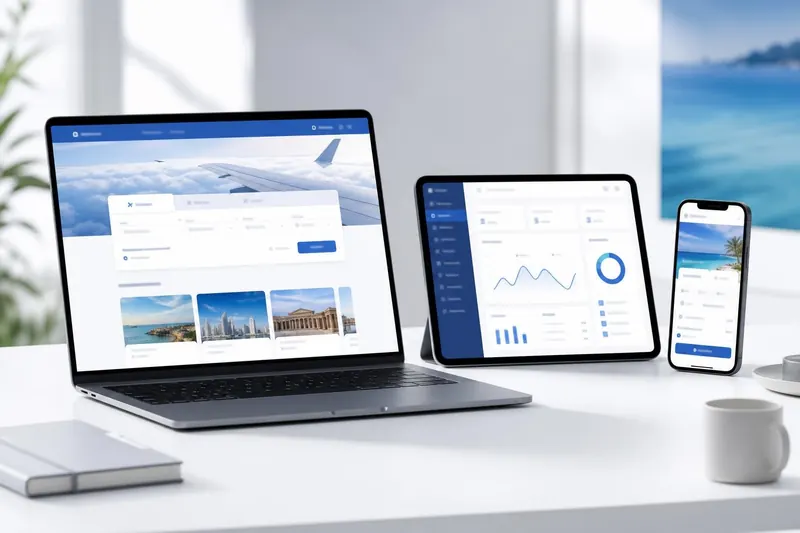
A travel booking panel is the software a travel agency uses to sell travel online and run it behind the scenes: a booking website for travellers, an admin back office and often a portal for sub-agents, all connected to airline, hotel and payment suppliers. It searches live availability, adds your margin, takes payment and issues tickets or vouchers under your brand.
Key takeaways
- A travel booking panel joins a customer website, an admin back office, a B2B agent portal and traveller accounts into one system.
- Live content comes from suppliers such as GDSs, NDC connections and bed banks, plus any inventory you contract yourself.
- The panel applies your markup, collects payment and produces tickets, vouchers and invoices automatically.
- Judge any panel on supplier choice, pricing control, payment options, ownership and support — not on the homepage design.
- Supplier contracts, hosting and payment-gateway fees are normally separate from the software itself.
What is a travel booking panel?
A travel booking panel is a single piece of software that lets a travel business sell travel products online and manage every booking afterwards. Depending on who you ask, the same thing is called a travel portal, a booking engine or an online travel agency (OTA) platform. Whatever the label, it does one job: it connects to the companies that hold airline seats and hotel rooms, shows that inventory to buyers at your prices, and records each sale so your team can service it.
Unlike a brochure website, a travel booking panel completes the transaction. A traveller can search, compare, pay and receive a confirmed ticket without a phone call, and your staff see the same booking in the back office moments later — with the payment, documents and margin already attached.
The four parts of a travel booking panel
A complete panel is made up of several interfaces that share one set of records. Each serves a different person.
- Customer booking website — the public storefront on your domain, where travellers search, book and pay.
- Admin back office — where your team manages bookings, payments, refunds, suppliers, markups, content and staff permissions.
- B2B agent portal — a separate login for sub-agents who book at the rates you set for them. The B2B travel portal guide covers this side in depth.
- Traveller account — where customers see upcoming trips, download e-tickets and vouchers, and request changes.
Because all four read and write the same data, a booking made by a sub-agent at midnight is waiting for your accounts team in the morning, and a refund approved in the back office shows up in the traveller’s account without anyone re-typing it.
Booking modules: what a panel can sell
The products a panel sells are usually organised into modules. The most common are:
- Flights — fare search, passenger name records (PNRs), ticketing and changes, using GDS, NDC or other airline content.
- Hotels — rooms from bed banks and directly contracted properties, with cancellation rules and vouchers.
- Tours — packaged itineraries with departure dates, seat limits and deposits.
- Umrah — packages that combine flights, Makkah and Madinah hotels, ground transport and visa.
- Visa — online applications, document collection and status tracking.
Few agencies need every module on day one. A sensible approach is to start with the products you already sell offline, then switch on others as demand appears.
How a travel booking panel works, step by step
Behind every search is a short chain of events. Simplified, it runs like this:
- Search. The traveller or agent enters destinations, dates and passengers. The panel sends that request to each connected supplier at the same time.
- Normalise. Suppliers reply in different formats. The panel converts every response into one consistent list, so a fare from one source can be compared fairly with a fare from another.
- Price. Your markup rules are applied to each supplier’s net price — by product, route, agent or sales channel — and the result is shown in the buyer’s currency.
- Book. When the buyer chooses an option, the panel re-checks price and availability with the supplier, then creates the reservation: a PNR for a flight, a booking reference for a hotel.
- Pay. Payment is collected by card through a payment gateway, by bank transfer, or from an agent’s prepaid wallet.
- Fulfil. Once payment is confirmed, the panel issues the e-ticket or confirms the room, then sends vouchers, invoices and confirmation emails.
- Service. Cancellations, refunds, date changes and reports are all handled from the back office against that same booking record.
The re-check in step four matters more than it looks. Airline and hotel prices can move between search and purchase, and a well-built panel tells the buyer about a change before taking their money, not after.
Where the travel content comes from
A travel booking panel does not own any seats or rooms. It is a window onto inventory held by others, plus anything you contract yourself.
- Global distribution systems (GDS) such as Amadeus and Sabre carry fares and availability from many airlines through one connection. Access normally requires an agreement with the GDS provider.
- NDC connections are airline-direct APIs based on IATA’s New Distribution Capability standard. They can carry fares, bundles and extras the GDS may not show, and are often reached through an aggregator such as Duffel.
- Bed banks and hotel distributors such as Hotelbeds, WebBeds and Agoda supply rooms from a large number of properties through a single contract and API.
- Your own inventory — contracted hotel allotments, group air fares, tours and transfers — is loaded into the panel so it sells alongside supplier content.
In a sound set-up, the contracts and API credentials for these suppliers are held by the agency, not by the software provider. That keeps the commercial relationship, the credit terms and the booking history in your hands.
Travel booking panel vs a GDS terminal or a plain website
Agencies often ask why they need a panel when they already have a GDS terminal or a website. The three solve different problems.
- A GDS terminal lets trained staff build and ticket reservations with commands. It is powerful, but it is designed for agents rather than the public, and on its own it does not take card payments online, apply web markups or send branded vouchers.
- A plain website describes your services and collects enquiries, but someone still has to quote, book and invoice each request by hand.
- A travel booking panel sits between the two. It draws on the same supplier content as your terminal, presents it in a form customers and sub-agents can use themselves, and keeps payments and paperwork in step.
Many agencies keep the terminal for complex itineraries and group bookings, and let the panel handle the routine sales that would otherwise tie up staff.
Selling across markets: languages and currencies
Travel is international by nature, and a panel often serves buyers who read different languages and pay in different currencies. Three distinctions are worth understanding before you set one up.
- Display currency and settlement currency. A customer may see a price in one currency while the supplier invoices you in another. The panel converts between them, so you need to decide which exchange rates it uses and how often they are refreshed.
- Language and direction. Translating text is only part of the job. Arabic and other right-to-left scripts flip the whole layout, including menus, forms and printed documents.
- Local payment habits. Card payments dominate in some markets; bank transfer or cash deposits matter in others. Your payment options should match how your customers actually pay.
Getting these right early is easier than retrofitting them, because currencies and languages touch every price, page and voucher the panel produces.
Running a travel booking panel day to day
Once live, most of the work happens in the back office rather than on the website. Typical daily tasks include:
- checking new bookings, and any that failed to ticket or confirm;
- processing cancellations, refunds and date changes;
- reconciling gateway payments and bank transfers against bookings;
- adjusting markups for a season, a route or a promotion;
- updating destination pages, tours and offers;
- managing staff accounts so each person sees only what their role needs.
Reports drawn from the same records — sales by product, margin by supplier, refunds by period — can replace the side spreadsheets agencies often keep next to their terminal. Where every action is tied to a named staff login, you can also see who changed a booking or approved a refund, which matters as a team grows.
What to look for in travel booking panel software
When you compare options, these questions separate a panel you can grow with from one you will outgrow:
- Supplier choice. Which GDS, NDC, bed-bank and payment connections are offered, and can you add your own inventory?
- Pricing control. Can markups be set by product, route, agent and currency, and changed without a developer?
- Payments. Which gateways are supported, and can agents pay from a wallet?
- Languages and currencies. Does it support the languages your customers read, including right-to-left scripts such as Arabic?
- Ownership. Who hosts the system, who holds the data, and do you receive the source code? The white-label guide explains why this matters.
- Total cost. What will you have paid by year three, and what sits outside the quote? See what a travel booking panel costs.
- Support. Who answers when a ticket fails to issue late on a Friday?
Common pitfalls when choosing a panel
- Choosing software before suppliers. A polished website sells nothing without signed supplier agreements. Start those conversations early, because approvals can take longer than installation.
- Mistaking a demo for a launch. A demo showing live fares is running on somebody’s supplier credentials. Getting your own is a separate step with its own paperwork.
- Testing only the front end. Day-to-day work is mostly refunds, changes and reconciliation. Try those screens, not just the search page.
- Skipping the mobile check. Run a full booking on a phone, from search to payment confirmation, before you decide.
How TravelBookingPanel approaches it
TravelBookingPanel is a white-label travel booking panel sold on a one-time licence with full source code. There is no monthly fee and no commission on bookings. It is installed on your own domain and your own server or cloud account, so customer and booking data stay with you.
Every licence includes the customer booking website, admin back office and traveller account; the Agency and Enterprise plans add the B2B agent portal. Starter covers flights, hotels, tours and visa, and the Umrah package builder comes with Agency. Supplier connections offered include Amadeus, Sabre and Duffel for flights; Hotelbeds, WebBeds and Agoda for hotels; card gateways, bank transfer and agent wallets for payment; and your own contracted inventory. Supplier contracts always stay in your name. The full list is on the features page.
Next steps
Write down three things: the products you sell today, the suppliers you already hold contracts with, and whether you sell to other agents. With those answers you can compare plans on the pricing page, or contact us to walk through your set-up. You can also email info@travelbookingpanel.pk — support is available 24/7.